> For the complete documentation index, see [llms.txt](https://docs.algo724.com/llms.txt). Markdown versions of documentation pages are available by appending `.md` to page URLs; this page is available as [Markdown](https://docs.algo724.com/getting-started/setting-up-telegram-notifications.md).
# Setting Up Telegram Notifications
## 📨 Setting Up Telegram Notifications
Stay connected to your trading activity wherever you are. By linking your Algo724 account to Telegram, you can receive real-time alerts about your bot's trades, portfolio summaries, and important market news directly on your phone.
This guide will walk you through the simple process of binding your account and customizing your notifications.
#### Part 1: Binding Your Telegram Account
The entire connection process is handled securely through our official Telegram mini-app. You must start from your Telegram application.
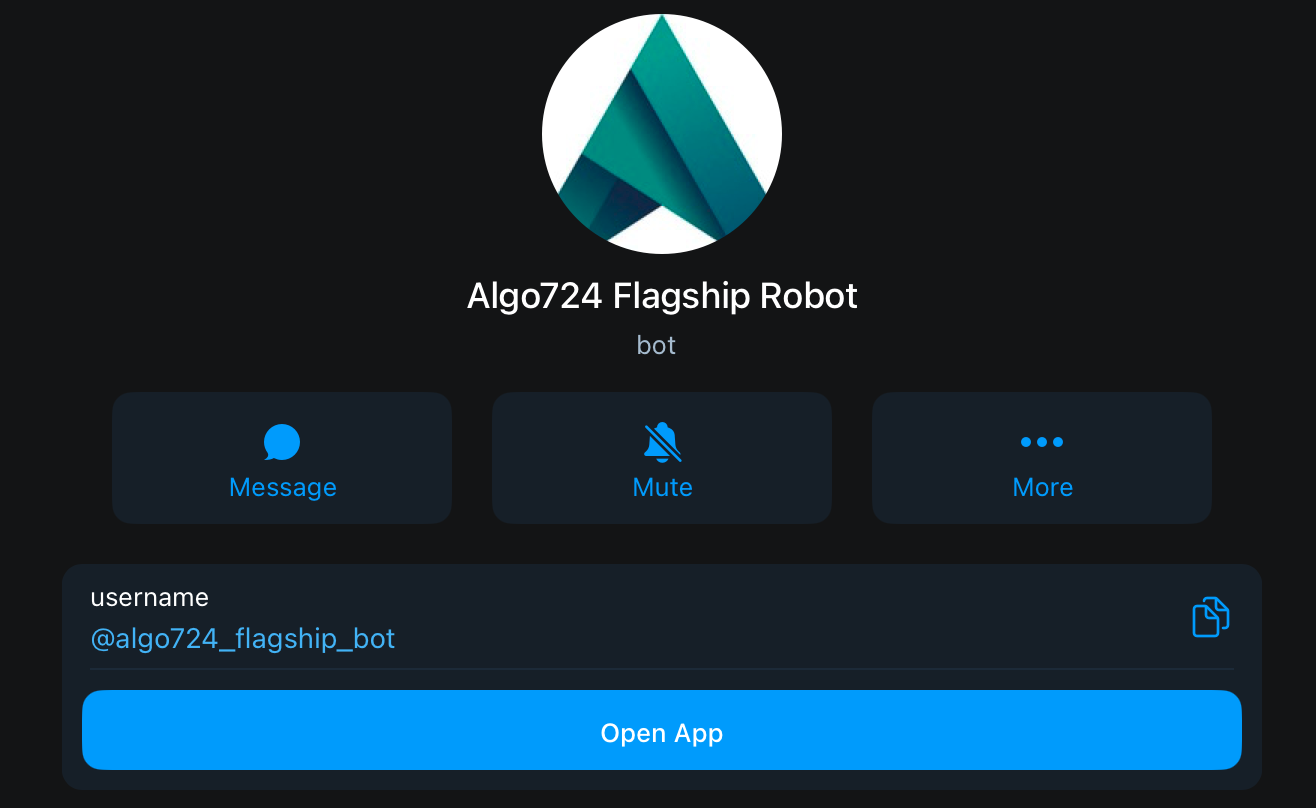
**Step 1: Find Our Official Bot in Telegram** Open your Telegram app and use the search bar to find our official bot.
* **Username**: `@algo724_flagship_bot`
Make sure you are interacting with the correct bot. It should look like the profile below.
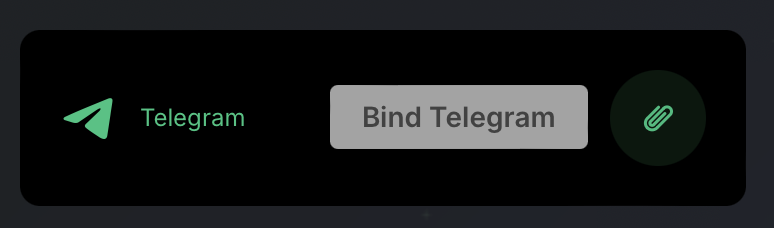
**Step 2: Initiate the Binding Process** Inside the Settings menu, you will find a section for Telegram. Click the **"Bind Telegram"** button.
**Step 3: Connect via the Telegram Bot** After clicking the button, you will be directed to our official Algo724 Bot on Telegram. In the chat window with our bot, type or select the command `/start`.
The bot will then guide you with a prompt to confirm the connection to your Algo724 account. Follow the on-screen instructions to complete the secure binding process.
#### Part 2: Managing Your Notification Subscriptions
Once your account is successfully bound, you can choose exactly which updates you want to receive.
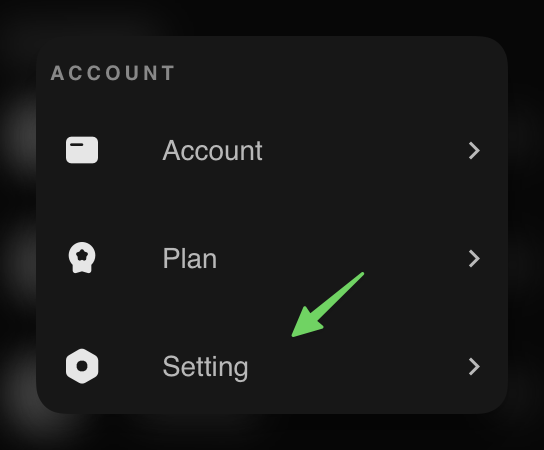
**Step 1: Return to Algo724 Settings** Go back to the **Account** -> **Setting** page on the Algo724 platform.
**Step 2: Customize Your Subscriptions** You will now see the "Telegram Subscriptions" management panel. Here, you can use the toggles to turn each type of notification on or off.
Here’s what each subscription does:
* **Trading Notifications**: Get real-time alerts about your bot's activities, such as when it buys or sells, and important exchange account updates.
* **News Updates**: Receive the latest market news and analysis from our in-house research hub directly to your Telegram.
* **Portfolio Summary**: Get a convenient daily summary of your portfolio's performance, including account balances and bot PNL.
* **Webhook Notifications**: For advanced users. Get notified when your custom TradingView webhooks execute orders or if they encounter any failures.
That's it! You can change these preferences at any time. We highly recommend keeping at least the **Trading Notifications** and **Portfolio Summary** active to stay fully informed about your account.
***
#### Troubleshooting & FAQ
**Q: I see an error message saying "Please use your corresponding device to link with Telegram". What does this mean?**
This error message appears if you try to access our platform's main website in a regular web browser and attempt to link from there.
**Solution**: The connection **must** be initiated from inside the Telegram application. Please close your web browser, open Telegram, find our bot **@algo724\_flagship\_bot**, and use the **"Open App"** button to log in.